How TopAI Real Estate Tools works
TopAI Real Estate Tools is operated by Sky Blue Holdings LLC. It is a paid SaaS web app that helps real estate professionals create marketing and prospecting content with AI, and optionally place consent-based AI follow-up calls.
Customers subscribe through Stripe, sign in with their email and password, enter property or lead details, and receive draft outputs they can copy, review, and use in their own real estate workflow.
Watch this short cartoon overview of how TopAI Real Estate Tools helps agents source more leads and market their services with AI.
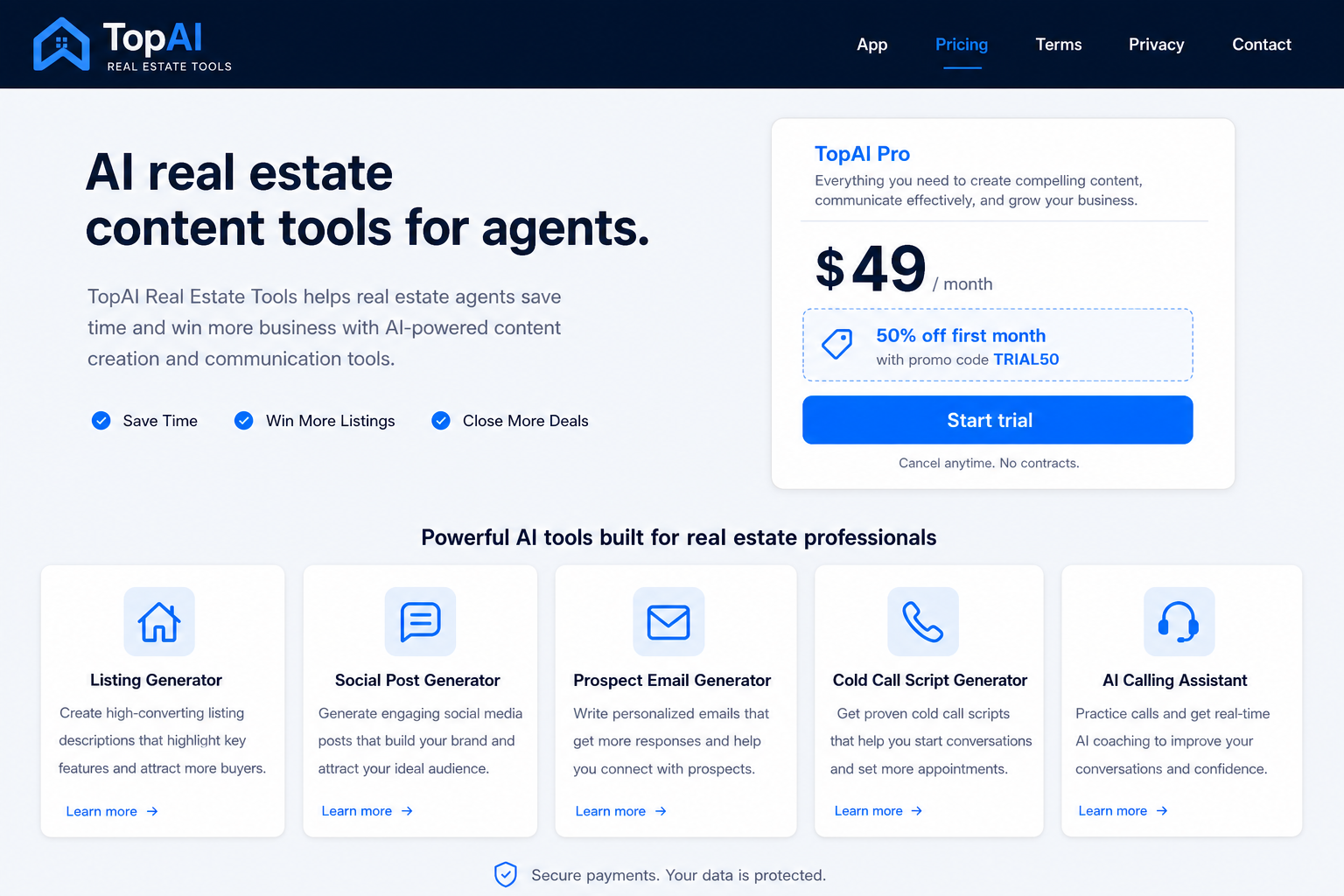
Subscribe through Stripe
Customers start from the public Pricing page or the in-app trial link and complete checkout with Stripe.
- Standard price: $49/month
- Current promo: Get 50% off your first month with promo code TRIAL50 — this is a discount, not a free trial
- Billing and cancellations are handled through Stripe
- Support contact: support@topairealestatetools.com
Sign in to the web app
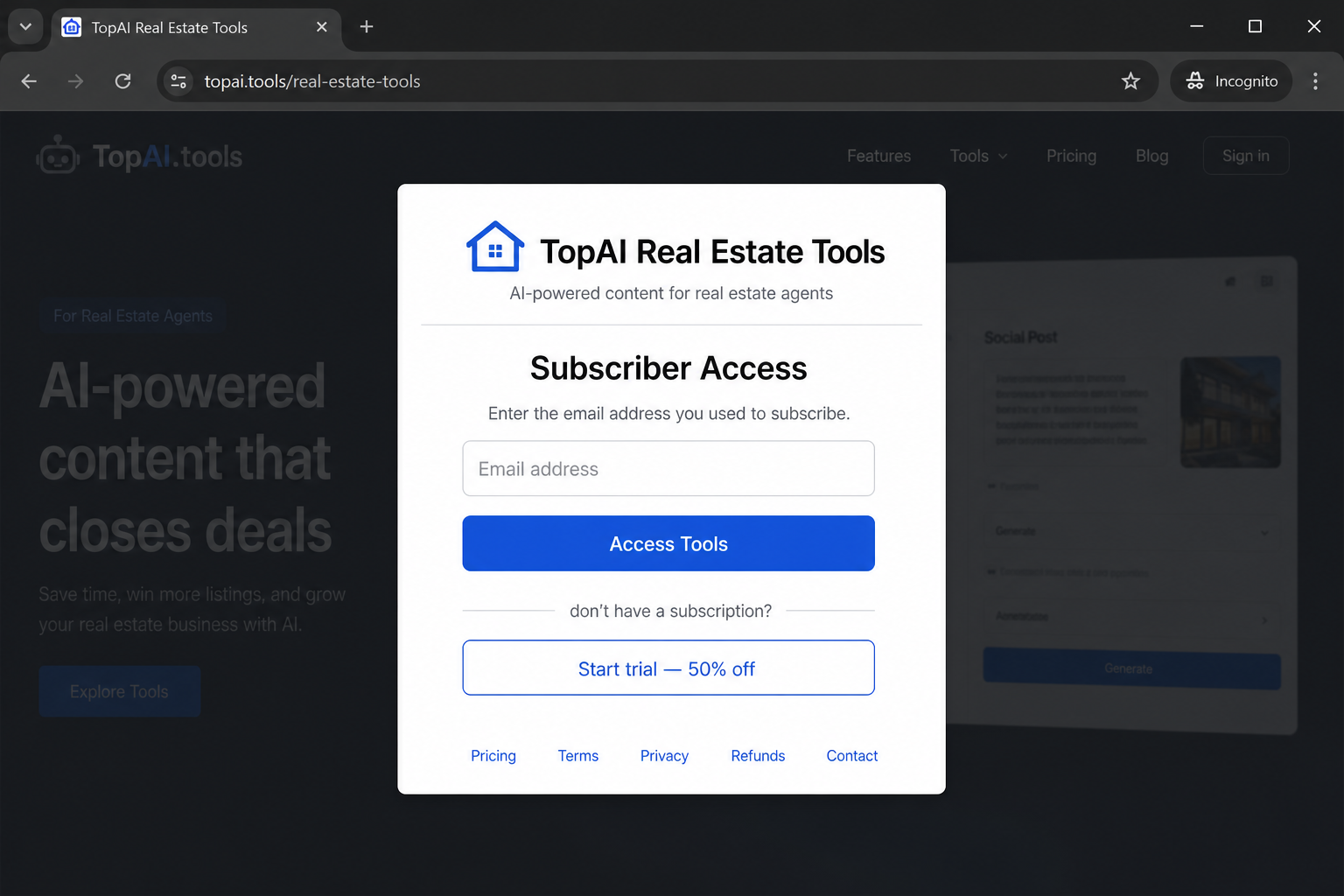
After payment, the customer signs in with the same email used at Stripe checkout and their account password.
- Open Sign in on topairealestatetools.com
- Enter your subscriber email and password
- If you never set a password, use Forgot your password? to create one
- After sign-in, Open Tools unlocks your subscriber workspace
Generate listing and marketing drafts
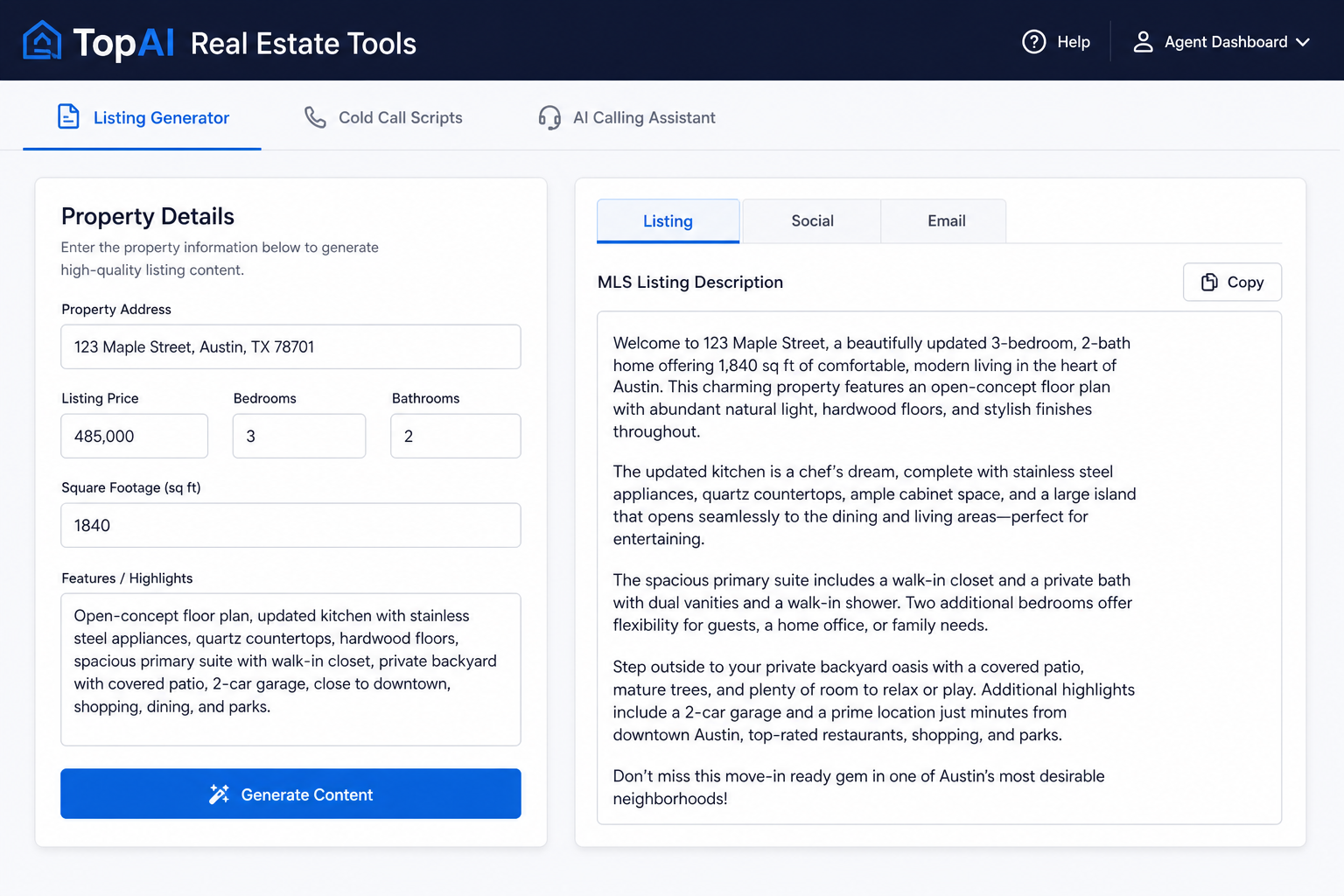
In the Listing Generator, the agent fills in property details and clicks Generate Content.
- AI creates a listing description draft
- AI creates social posts for major platforms
- AI creates a prospect email with a subject line and call to action
- The agent reviews the drafts and copies the text they want to use
Create prospecting scripts
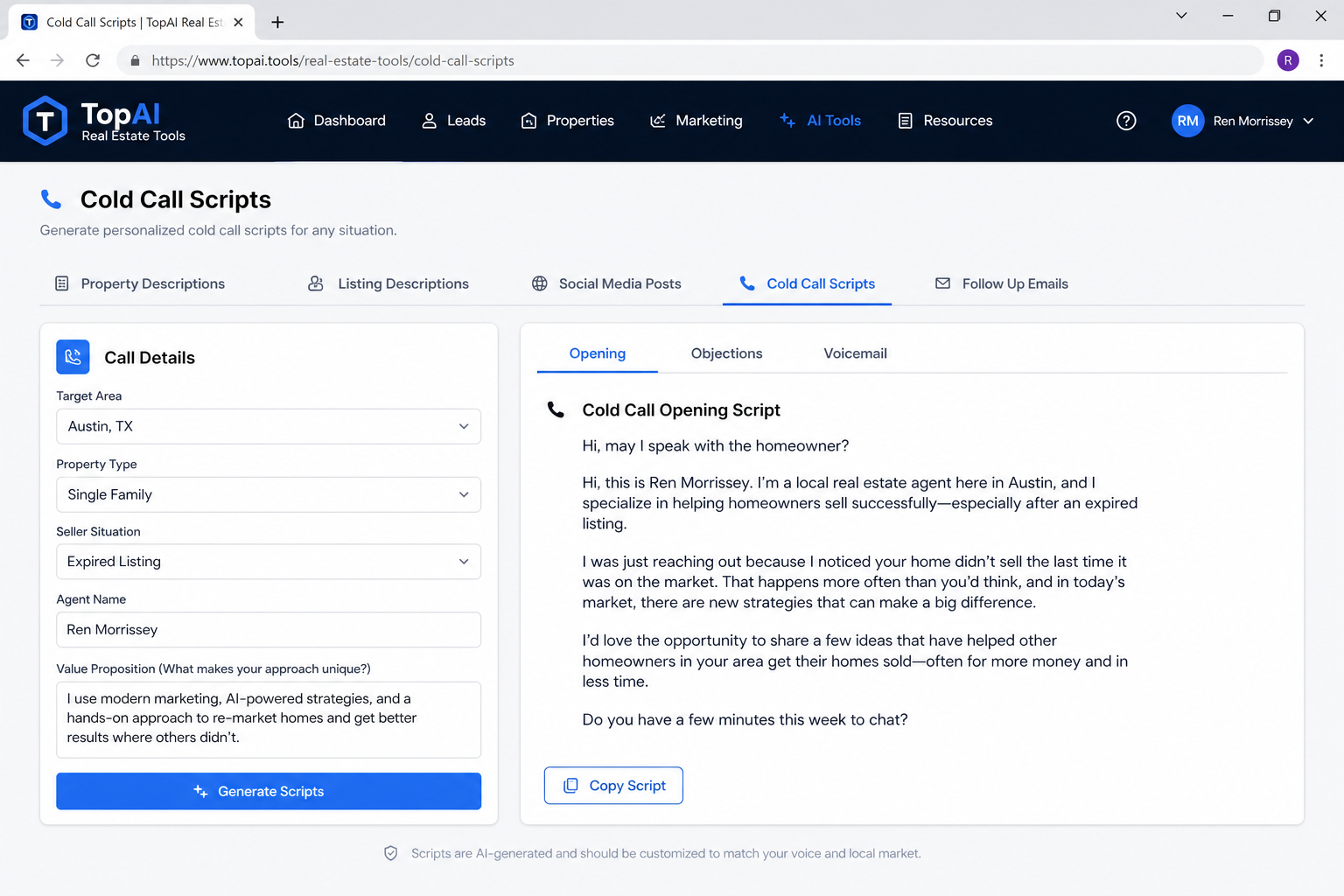
In Cold Call Scripts, the agent enters area, property type, seller situation, and value proposition, then generates opening, objection, and voicemail scripts for review.
Optional: run consent-based AI calls
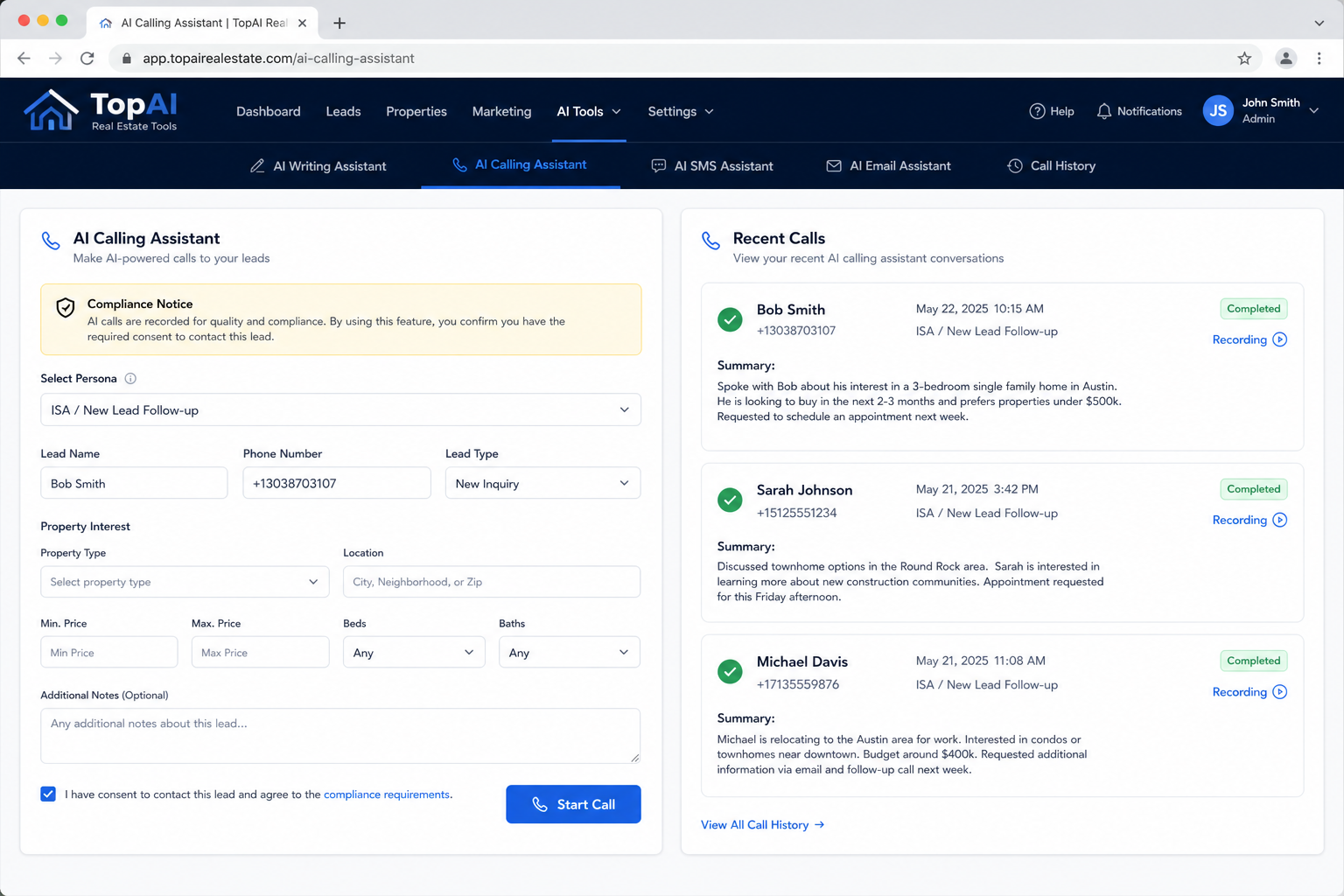
In AI Calling Assistant, the agent confirms consent, enters lead details, and starts a one-to-one AI call. After the call ends, Recent Calls shows status, summary, outcome, and recording access when available.
- Intended for consent-based, one-to-one real estate follow-up
- The AI identifies itself as an AI assistant
- Customers remain responsible for calling and recording compliance
What customers are buying
Customers are buying recurring software access to TopAI Real Estate Tools, not a physical product. The subscription provides online access to AI drafting tools and AI calling workflows through a browser.
Business details
- Business: TopAI RE Tools
- Product: TopAI Real Estate Tools
- Website: topairealestatetools.com
- Support: support@topairealestatetools.com
- Legal: Terms, Privacy, Refund Policy, SMS Consent
TopAI Real Estate Tools is currently in private beta while we finish production testing. New registrations will reopen soon.
SMS consent & inquiry form